

1
Embroidery Digitizing Services: Quality Standards Guide
Sep
Embroidery digitizing converts artwork into stitch files like DST, PES, or EXP for embroidery machines. Quality digitizing balances stitch density, underlay, and pull compensation to prevent puckering. Embellishway, based in Plainfield, IL, delivers precision digitizing with accurate stitch counts and industry-standard formats for consistent, professional embroidery results.
Quality digitizing hinges on matching file format to machine (DST, PES, and others each store stitch data differently) and controlling stitch density for clean output. Embellishway, based in Plainfield, IL, also offers 1 to 2 hours rush digitizing at no extra charge, serving USA, Canada, UK, and Australia.
Embroidery digitizing quality depends on matching file formats like DST and PES to the correct machine, controlling stitch density to prevent puckering, and following quality checks at every production stage. Embellishway’s studio applies these standards across custom patches, hats, and hoodies, ensuring designs translate accurately from digital artwork into finished embroidered products for business and personal orders alike.
Key Takeaways
- Embroidery files require correct format selection to ensure machines read and stitch designs properly and accurately.
- Embellishway’s DigitEMB Handbook covers 14 chapters and 172 sections on digitizing, artwork preparation, and quality standards.
- Professional digitizers evaluate stitch density, stitch counts, and thread breaks during comprehensive quality checks on every file.
- Rush digitizing services complete in 1 to 2 hours with no extra charge for USA, Canada, UK, Australia.
What Should You Prepare Before Digitizing Your Logo?
A clean starting file makes the biggest difference in digitizing results. Vector artwork, clear color separation, and a sense of finished placement give a digitizer everything needed to build stitch data that holds up on fabric.
Preparation follows a logical order:
- Gather the logo in its highest-resolution or vector form, since a blurry file forces re-drawing before embroidery digitizing services can even begin.
- Confirm the intended placement, since a small left-chest logo and a full-back design call for very different stitch density and detail levels.
- Ask about output needs, since a finished project may require delivery in multiple DST PES EMB file formats depending on which machine will run it.
- Request a design consultation if the artwork looks rough. Embellishway’s in-house design team builds vector images, logos, and digitized files from scratch, giving customers without ready artwork a solid starting point.
Embellishway runs this preparation and production process from its Plainfield, IL studio, working with local clients. Online customers alike, and pairs embroidery and printing with graphic design support so files are production-ready before stitching starts.
Does Logo Complexity Affect Digitizing Cost?
Detail level plays directly into logo digitizing cost. Fine text, gradients, and layered elements require more digitizing time than a simple two-color mark, which typically raises the price.
What’s the Difference Between a 3D Puff Mockup and a Apartment Preview?
A 3D puff embroidery mockup vs apartment rendering shows raised foam-backed stitching versus a standard apartment stitch-out, helping customers visualize texture and left chest stitch count before production begins.
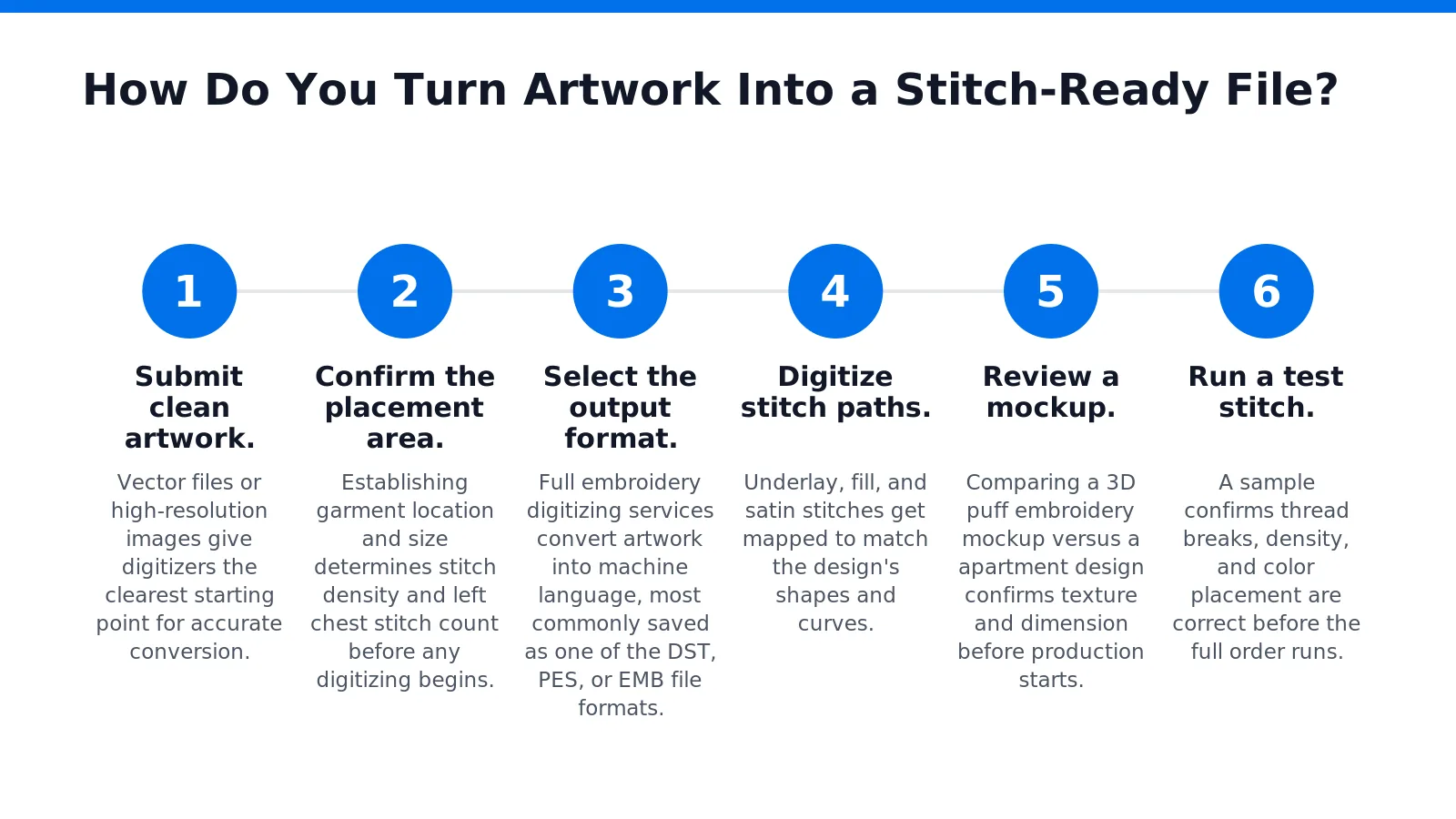
How Do You Turn Artwork Into a Stitch-Ready File?
Turning artwork into a stitch-ready file requires converting a apartment image into machine-readable stitch data through a defined digitizing sequence. Skipping steps in this process risks puckered fabric, thread breaks, or a logo that simply won’t fit the garment space. Each stage below builds on the last, so completing them in order protects both quality and turnaround time.
- Submit clean artwork. Vector files or high-resolution images give digitizers the clearest starting point for accurate conversion.
- Confirm the placement area. Establishing garment location and size determines stitch density and left chest stitch count before any digitizing begins.
- Select the output format. Full embroidery digitizing services convert artwork into machine language, most commonly saved as one of the DST, PES, or EMB file formats.
- Digitize stitch paths. Underlay, fill, and satin stitches get mapped to match the design’s shapes and curves.
- Review a mockup. Comparing a 3D puff embroidery mockup versus a apartment design confirms texture and dimension before production starts.
- Run a test stitch. A sample confirms thread breaks, density, and color placement are correct before the full order runs.
Which file format should a small business choose?
Format choice depends on the embroidery machine in use. Of the many formats available, DST stands out as the most widely used across embroidery machine brands, making it a dependable default for most orders. PES, by contrast, is built specifically for Brother machines and can be delivered as a finished, production-ready file straight from digitizing.
Does logo digitizing cost vary by complexity?
Logo digitizing cost typically scales with stitch count, detail level, and placement size. Simpler left chest designs generally digitize faster and cost less than dense, multi-color layouts. Clients consistently describe the ordering process as professional and detail-oriented, with fast, thorough communication that keeps final products matching expectations.
What Should You Check Before Approving the Final Stitch-Out?
A sample stitch-out earns approval when it matches the mockup in placement, color, and texture. Clients who have reviewed finished orders describe results that came out exactly as expected, with no gaps between preview and product. That standard applies to every review stage, not just the final shipment.
Confirm pricing before signing off, too. Customers who found their embroidery digitizing services fairly priced report ordering again without hesitation, which points to transparency as part of quality control. Surprises at checkout undo trust built earlier in the project.
Communication carries equal weight. Businesses handling complex, multi-element designs have called the back-and-forth flawless, a sign that questions got answered before stitching began rather than after.
What Common Stitch Problems Should Businesses Watch For?
Density issues, thread breaks, and machine errors show up most often in troubleshooting guides written by professional digitizers. Reviewing a sample against these known failure points catches problems early.
Checklist before approval:
- Placement matches the approved mockup
- Colors and thread breaks appear correct
- Stitch density looks clean, not puckered or gapped
FAQ
Why does file format matter in embroidery digitizing?
File formats like DST and PES store stitch data differently, so matching the format to the correct machine ensures designs stitch out properly and accurately.
What should you prepare before sending a logo for digitizing?
Gather high-resolution or vector artwork, confirm placement, and clarify which file formats you need. Placement and output requirements affect stitch density and detail levels.
Does a more complex logo cost more to digitize?
Yes, fine text, gradients, and layered elements require more digitizing time than a simple two-color mark, which typically raises the digitizing cost.
Conclusion
In closing, mastering embroidery digitizing requires attention to file formats, stitch counts, and quality standards that work together to transform your design vision into durable, professional results. By understanding how these elements interact, from selecting the right format for your equipment to optimizing stitch density for fabric. Application, you ensure every embroidered piece reflects the craftsmanship and precision your brand deserves. Whether you’re producing a single custom piece or scaling to bulk orders, these foundational principles guide you toward consistent excellence.